
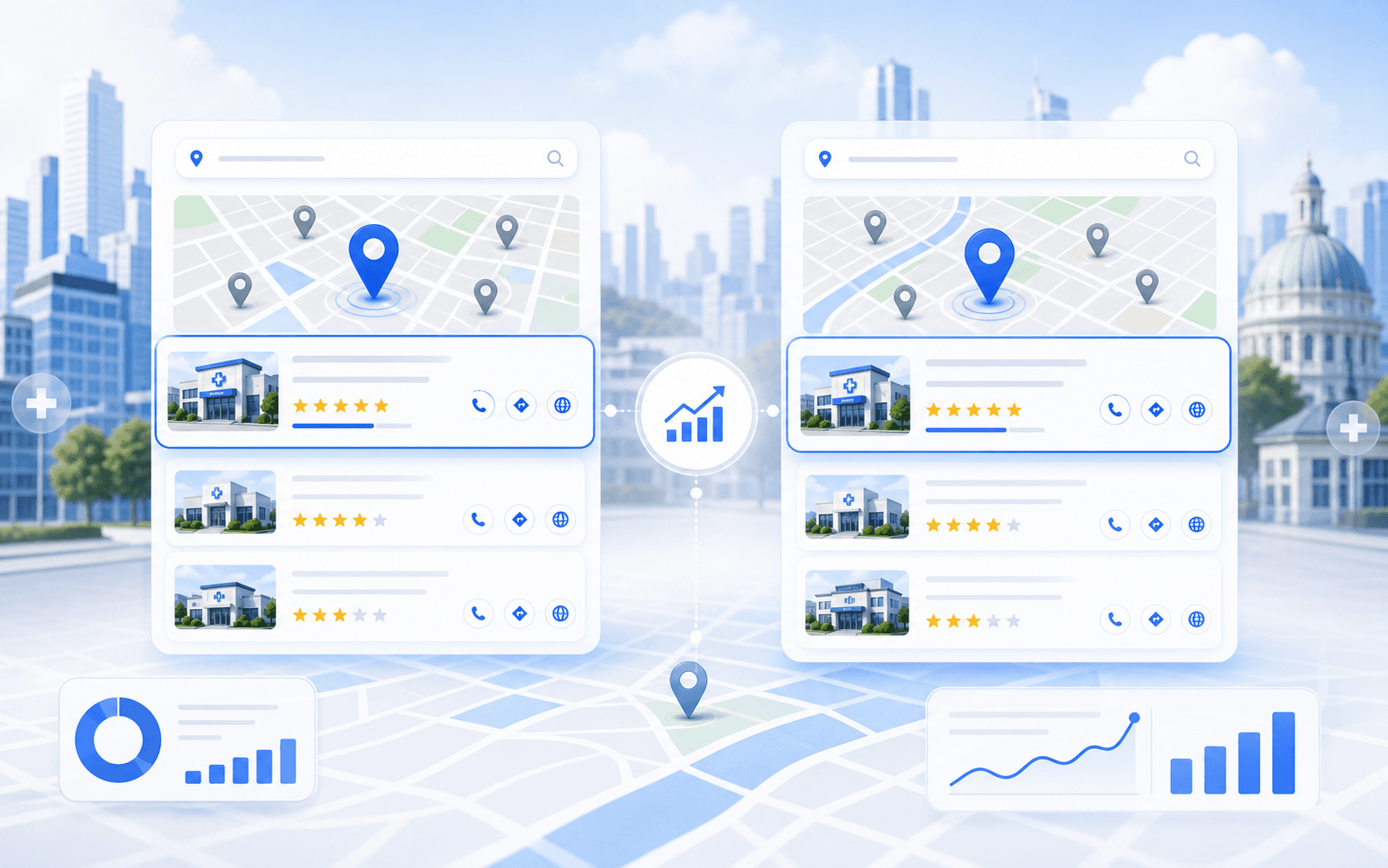
Google Maps is often the first trust checkpoint for local healthcare decisions.
If your clinic is not visible there, patients are more likely to choose the businesses that appear above you.
If you want to know how a clinic appears in local search from another city, a normal search from your office is usually not enough. Search results are shaped by location, proximity, device context, search history, and the neighborhood-level reality around the person searching.
That is why so many clinic owners misread their own visibility. They search from the office, from home, or from a logged-in browser and assume the result reflects what patients see somewhere else. It often does not.
Guide overview
Use this guide to work through the most important fixes
Why normal searches mislead local visibility checks
Local search is not a single fixed result. It changes based on where the user is and what Google thinks matters most in that area.
What changes by city, neighborhood, and device context
When you compare results from another city, you are not just testing a different map dot. You are testing a different competitive environment.
How to use the preview workflow
The process is straightforward if you keep it focused.
The short version is this: use a location-preview workflow to see how clinic search results and map packs look in another city instead of relying on one office-location search.
If you want a faster workflow, use the Local Search Preview tool. It is designed to help compare how local search looks across different cities or markets without guessing from the wrong location context.
Why normal searches mislead local visibility checks
Local search is not a single fixed result. It changes based on where the user is and what Google thinks matters most in that area.
That means a search for:
- urgent care near me
- med spa in Palm Desert
- pediatric clinic in Beverly Hills
can look meaningfully different depending on the city and the neighborhood the search is anchored to.
One recurring issue we see is that clinic teams use office-location searches as a stand-in for broader local visibility. That may tell you something about one point on the map, but it does not tell you how the business looks from another city, suburb, or neighborhood.
It can also be misleading when the user is:
- logged into a Google account
- searching from the clinic network
- repeatedly searching the same branded terms
- relying on a browser with old location assumptions
That is why a local preview workflow matters.
What changes by city, neighborhood, and device context
When you compare results from another city, you are not just testing a different map dot. You are testing a different competitive environment.
The result can change because:
- competitors are different
- proximity is different
- review strength in that market is different
- category relevance shifts by area
- query intent varies by local context
Even inside one metro area, visibility can move meaningfully from one neighborhood to another. That is why a clinic can look strong around the office but much weaker in the places it actually wants to draw patients from.
In recurring local ranking reviews, we often find that teams think they are tracking "the city," but they are really tracking one small slice of it. Once you compare across areas, the visibility picture becomes more uneven than expected.
How to use the preview workflow
The process is straightforward if you keep it focused.
Start with the right query set:
- one branded query
- one or two core service queries
- one service plus city query
Then compare across the cities or local zones that matter.
A useful workflow looks like this:
- choose the service query that reflects real patient search behavior
- set the target city or area you want to compare
- review the local pack and organic mix
- compare who appears, where the clinic lands, and how the map context changes
- repeat for a second market or neighborhood
The Local Search Preview tool exists to make that process cleaner. It gives the team a more realistic way to compare local search without relying on office-location assumptions that distort the result.
What to do with the insight once you have it
Seeing the result is only the first step. The point is to turn the comparison into action.
If the clinic looks strong in one city but weak in another, ask:
- is the weaker area farther from the clinic?
- are competitors stronger there?
- is the clinic underpowered on reviews, category alignment, or page relevance for that market?
- is the site too generic to support that service in that local context?
If the clinic appears in branded searches but not in service queries from another city, that usually signals weak discovery visibility rather than a missing profile problem.
One recurring pattern we see is that teams use a preview tool only to prove a rank position, instead of using it to understand why local coverage is uneven. The second use is much more valuable.
How this connects to ranking grids and broader local SEO
A location-preview workflow is often the easiest way to show stakeholders that local visibility is not uniform. But if the clinic needs a broader market picture, ranking-grid tracking becomes more useful.
That is where How Local Ranking Grids Work for Clinics fits. A grid gives wider neighborhood coverage, while a city-preview workflow helps explain how search can shift from one place to another.
If the preview results show broader weakness, the next step is usually not more searching. It is better local SEO execution across GBP, page relevance, reviews, citations, and conversion support.
That is why local SEO for clinics should sit next to this tool workflow. A preview only helps if it leads to better visibility decisions.
Common mistakes to avoid
Avoid these habits when checking local search from another city:
- relying on one manual search and treating it as final
- comparing branded results to non-branded results without noticing the difference
- testing from the clinic's own office and assuming it reflects other markets
- checking only one keyword and ignoring service-specific variation
- using the result to confirm bias instead of diagnose coverage gaps
In recurring clinic audits, the most common mistake is not the tool. It is the interpretation. People use a preview to validate a story they already believe instead of to map the real visibility pattern.
Final takeaway
If you want to check local search results from another city, do not rely on normal office-location searches. Use a preview workflow that reflects the market you are actually trying to understand.
That helps the clinic see:
Start with the Local Search Preview tool. If the comparison shows deeper visibility gaps, connect those findings back to local SEO for clinics so the insight turns into action instead of just another screenshot.
Ask these first
- how visibility changes by city
- how local packs differ across markets
- where rankings are stronger or weaker
- what kind of SEO work the business needs next
Methodology for How to Check Local Search Results From Another City
Last reviewed May 5, 2026This article is grounded in reviewed guidance, local SEO workflows, and the source material linked below.
Frequently Asked Questions About How to Check Local Search Results From Another City
Because local results are influenced by location, proximity, competitors, and neighborhood context rather than by one universal search result.
It helps a little, but it still does not recreate the location context the way a dedicated local search preview workflow does.
Use the comparison to identify where visibility is weak, then connect that to GBP, page relevance, reviews, citations, or grid tracking priorities.
Next step for clinic reputation
Turn this review guidance into a stronger patient trust workflow
Choose the next action that helps your clinic improve review generation, clean up reputation blind spots, and strengthen the signals patients see before they book.
- Review growth workflows that fit healthcare teams
- Clear next actions for reputation improvement
- Built to support local trust and conversion
Continue learning
Related Resources for How to Check Local Search Results From Another City
Use these supporting resources to go deeper into the topic cluster without losing the thread of what you just learned.
Related Curex resources
Practical resources to keep moving
Foundational guides, tools, and service paths that support the next stage of implementation.
More from this topic
Continue exploring this cluster
Supporting reads that deepen the same topic without competing with the main CTA above.